
Excel Highlight date ranges

Joined
Oct 13, 2016
Messages
7
Reaction score
1
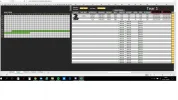
Hey everyone, Im trying to highlight some date ranges on a calendar based on "start date" and "end dates", I was able to do that for the first range using this formula on conditional formatting: =AND(B6>=$BG$5;B6<=$BH$5).
Sadly I can't make it work automaticly for the rest of the date ranges.
Anyone has any idea of how to make it work?
 

Attachments

  • ex1.webp
    ex1.webp
    87.7 KB · Views: 137
What information is contained in cells BG5 and BH5? There's an error in your syntax - the semi-colon should be a comma, but guess that may just be a typo here.
 

Ask a Question

Want to reply to this thread or ask your own question?

You'll need to choose a username for the site, which only take a couple of moments. After that, you can post your question and our members will help you out.

Ask a Question

Similar Threads

Excel VBA 1
Excel Help with date adding formulas! 7
Excel Worksheet_BeforeDelete code not working as expected. 1
Excel 2 into 1 6
Excel Excel Conditional Formatting help needed. 1
Excel Excel due and overdue date colours 2
Excel conditional formatting with Weeknum 4
Excel Import Comments 3

Back
Top